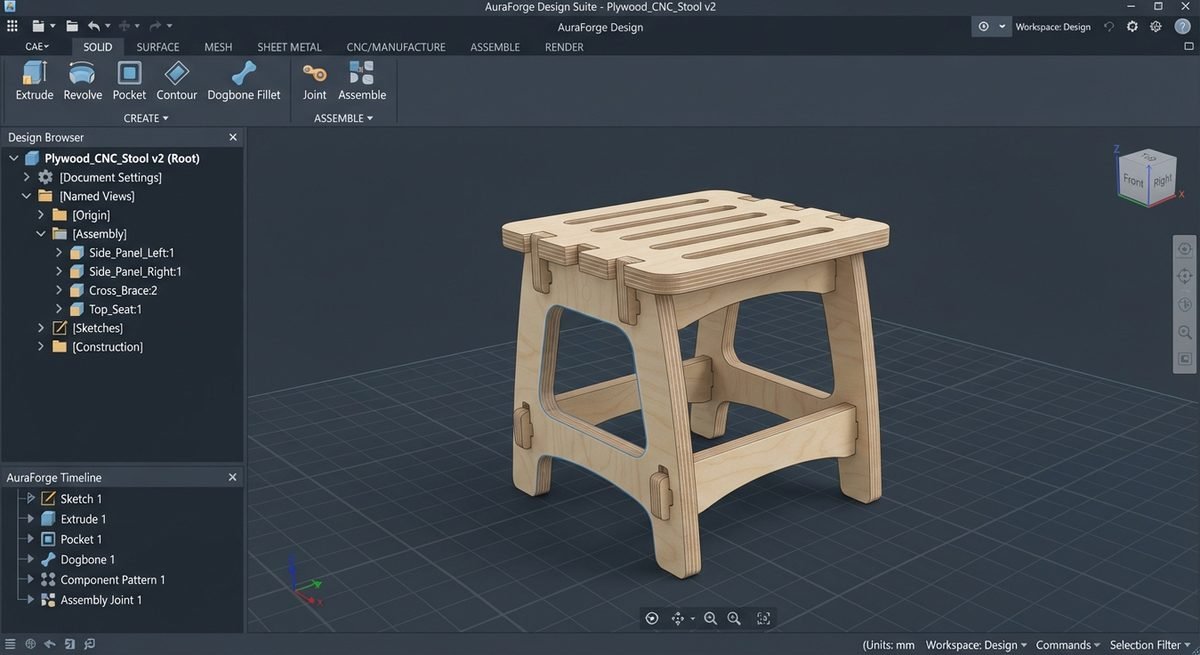
Autodesk Fusion 360 is an engineering powerhouse, but if you simply want to design a custom wooden drawer organizer, a slotted desktop rack, or a hinged enclosure for your laser cutter or CNC router, it can feel like using a sledgehammer to hang a picture frame.
Between steep learning curves, heavy desktop hardware requirements, restrictive hobbyist license changes, and multi-step plugins just to flatten a 3D model into a kerf-compensated DXF, many makers find themselves spending more time managing CAD constraints than cutting wood.
If you are looking for a faster, lighter way to go from a 3D flat-pack idea to cut-ready SVG and DXF files, here is an honest look at how the top alternatives compare — including our own tool, CraftBox 3D — and where each one fits best in a workshop.
At a glance
Quick comparison: laser & CNC flat-pack design tools
| Tool | Type | Best for | Kerf & joinery automation | Browser? | Learning curve |
|---|---|---|---|---|---|
| CraftBox 3D | Purpose-built 3D flat-pack CAD | Custom 3D boxes, drawers, organizers & CNC flat-packs | Built-in 3D auto-tabs, kerf & dogbones | Yes 100% browser, Chromebook | Low minutes |
| Boxes.py / MakerCase | Web form generators | Quick rectangular boxes & huge preset libraries | Built-in preset templates only | Yes browser | Very low |
| LightBurn / Inkscape | 2D vector editors | Engraving, signage & fine 2D vector adjustments | Manual path offsets only | No desktop only (Win/Mac/Linux) | Low–medium |
| Onshape / FreeCAD | General parametric CAD | Mechanical parts, gears & complex 3D assemblies | Manual sketches or third-party add-ons | Onshape: yes / FreeCAD: desktop | High |
| Fusion 360 | Enterprise mechanical CAD | Complex engineering, 3D milling & simulations | Requires add-ins e.g. Shaper/DXF plugins | No desktop only (heavy hardware) | High |
A note on our recommendation
CraftBox 3D is our product. We have tried to be clear about where it fits and where it does not — if a free box generator, LightBurn or Fusion 360 is the better tool for your job, use it.
Our own tool · built for custom flat-pack
1. CraftBox 3D
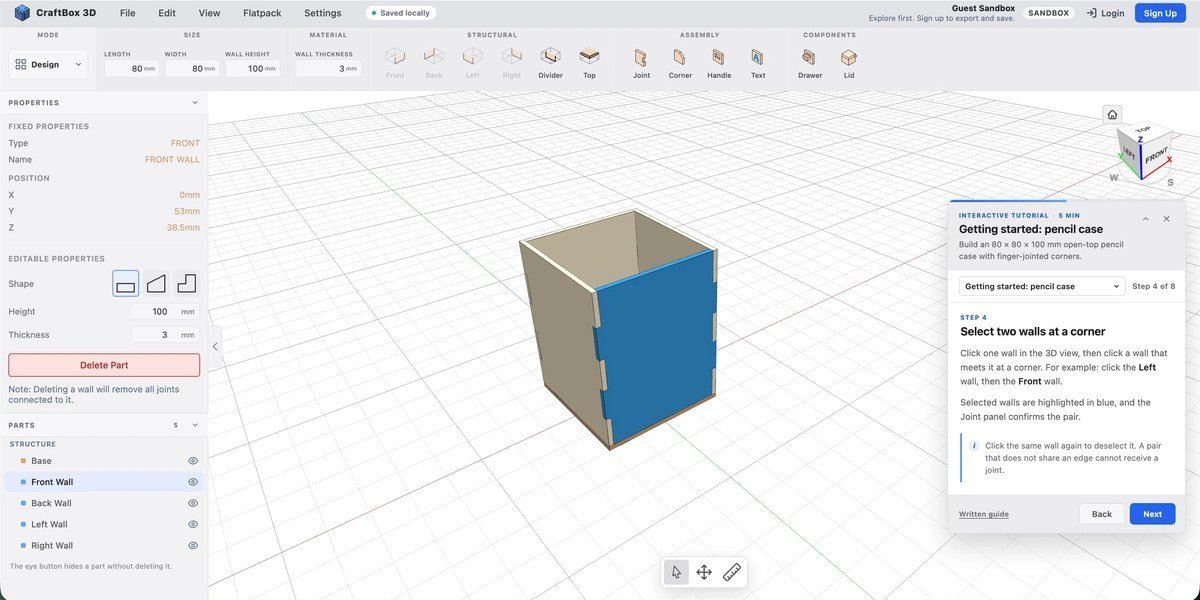
CraftBox 3D was built specifically to bridge the gap between rigid 2D box generators and overwhelming mechanical CAD suites. Instead of drawing flat 2D rectangles and manually calculating finger-joint math, you assemble wooden panels, internal dividers and drawers directly in 3D space.
- Where it shines: you do not have to manage parametric timeline histories or third-party export scripts. Start from scratch or pick one of 8 ready-to-go starter templates — including a Drawer Storage Box, Hinged Lid Box, Stationary Organizer and Colouring Pencil Stand — then adjust dimensions, material thickness or internal compartments while interlocking tabs and slots update automatically.
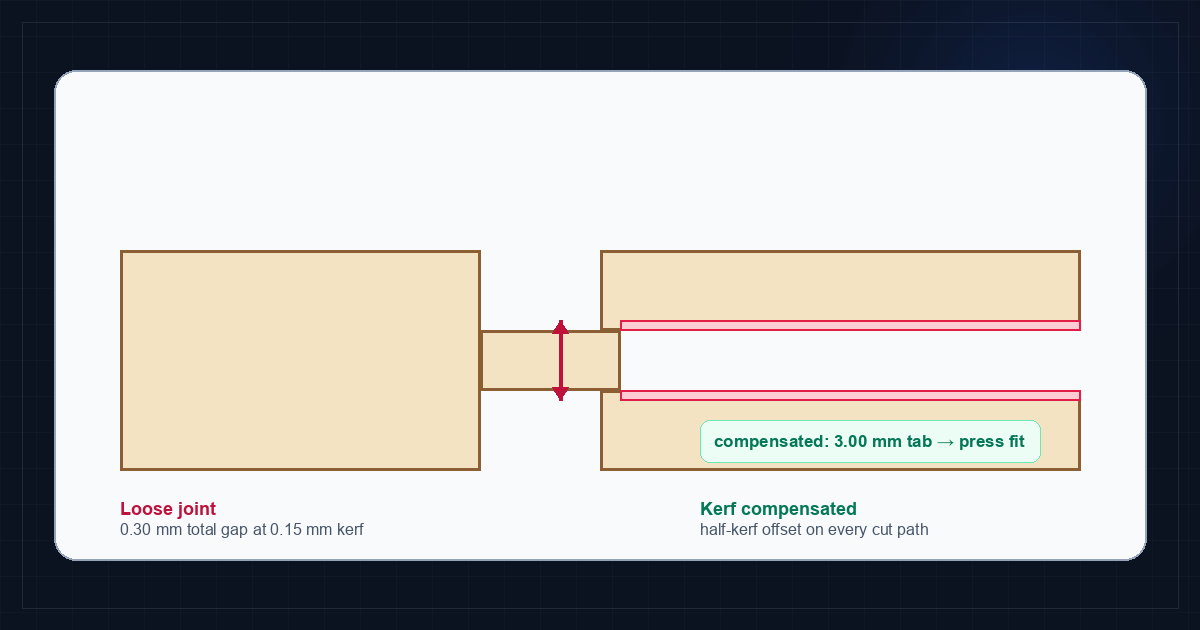
- Built for real machines: it handles per-side kerf compensation for lasers, adds dogbone corner relief for CNC router bits, automatically nests parts onto your machine bed, and exports clean, color-coded SVG (for LightBurn/Glowforge) and DXF (for VCarve/Carveco) files. Because it runs in a standard browser, it also works on school Chromebooks without a heavy download.
- Where it falls short: CraftBox 3D is strictly focused on flat-pack sheet goods. Unlike Fusion 360 or Onshape, it is not built for sculpted 3D organic shapes, gears or multi-axis metal milling. Our template library is also still young — currently 8 foundational templates rather than the dozens of niche presets you will find in older tools like Boxes.py.
Best free starting point
2. Boxes.py & MakerCase
If all you need is a simple four-wall box with a lid and standard dimensions, free web generators like Boxes.py and MakerCase remain staples in the laser cutting community.
- Strengths: completely free, fast for standard shapes, and Boxes.py includes a massive library of specialized presets — living-hinge boxes, planetary gears and tray inserts, to name a few.
- Where they fall short: you are working through static form inputs rather than an interactive 3D workspace. If you want to freely place asymmetrical internal dividers, combine multiple drawers with custom clearances, or add CNC dogbone fillets for thicker plywood, you will quickly hit the limits of form-based generators.
Verdict: still the fastest path for a standard box. Move to a 3D editor when the internal layout starts to matter.
Best for 2D layouts
3. LightBurn & Inkscape
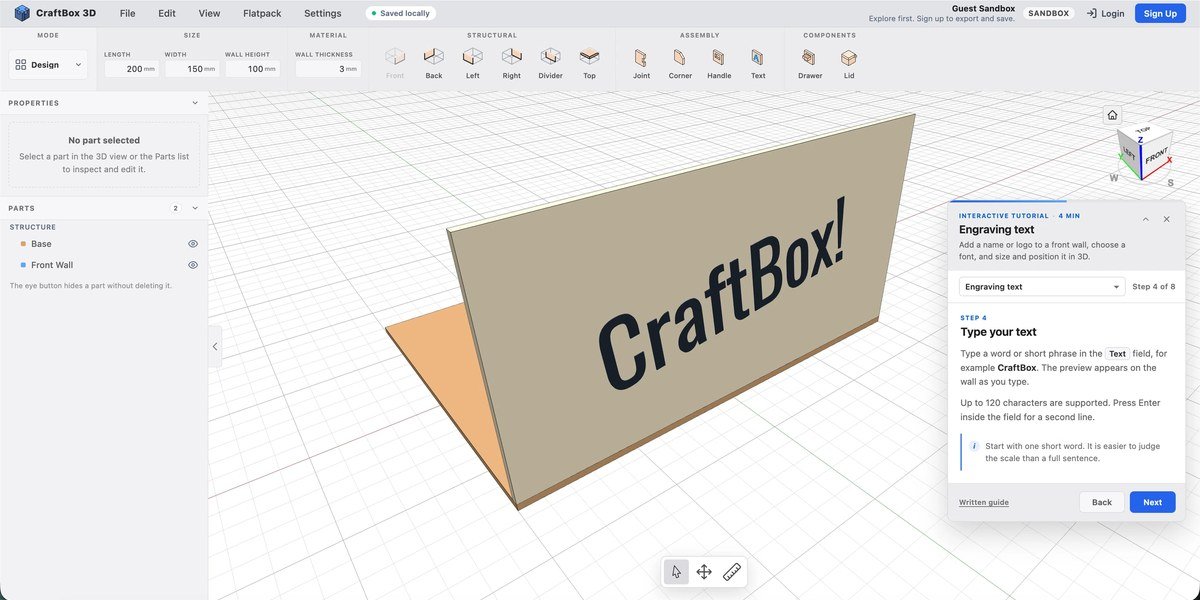
LightBurn is the standard for controlling CO₂ and diode lasers, while Inkscape remains the go-to free 2D vector editor. Most makers — including CraftBox 3D users — still rely on one of these tools right before hitting Start on their machine.
- Strengths: unbeatable for artwork, engraving layers, node editing and direct laser bed control.
- Where they fall short: designing multi-panel 3D structures in 2D forces you to visualize how every edge interlocks in your head. If you decide to change your plywood thickness from 3.0 mm to 2.8 mm — or widen a shelf by 15 mm — you have to manually adjust and re-offset every single tab and slot by hand.
Verdict: keep it at the end of the workflow for artwork, engraving and machine control. It is not the place to design the joinery.
Best for mechanical parts
4. Onshape & FreeCAD
If you are designing gears, brackets or multi-axis 3D-printed mechanisms alongside your woodworking, Onshape (browser-based) and FreeCAD (open-source desktop) offer full parametric power without Autodesk’s commercial licensing friction.
- Strengths: true parametric constraints, complex assemblies, and robust STEP/IGES export for 3D printing and CNC milling.
- Where they fall short: like Fusion 360, neither tool is tailored for sheet-good joinery out of the box. Creating finger joints, flattening dozens of panels onto a cut sheet, and applying kerf allowances takes repetitive modeling steps or community add-ons.
Verdict: excellent engineering tools, still a heavy detour for a drawer organizer. Onshape has the edge if you need browser access; FreeCAD has the edge if you need a fully local, open-source install.
Decision guide
Which tool should you choose?
- Stick with Fusion 360, Onshape or FreeCAD if you are engineering complex mechanical assemblies, curved organic surfaces or multi-axis metal parts.
- Use Boxes.py when you need a quick, standard rectangular box or a specific living-hinge preset in 30 seconds.
- Pair LightBurn or Inkscape with any 3D tool when you want to add custom engravings, logos or final laser path tweaks.
- Try CraftBox 3D if you want to design custom 3D wooden organizers, drawer units or CNC flat-pack products visually — either from scratch or by tweaking one of our 8 starter templates — and export cut-ready SVG or DXF files without the CAD overhead.
Standard box = Boxes.py · Custom 3D flat-pack = CraftBox 3D · Mechanical part = Fusion 360 / Onshape / FreeCAD · Artwork = LightBurn / Inkscape
Why 3D helps
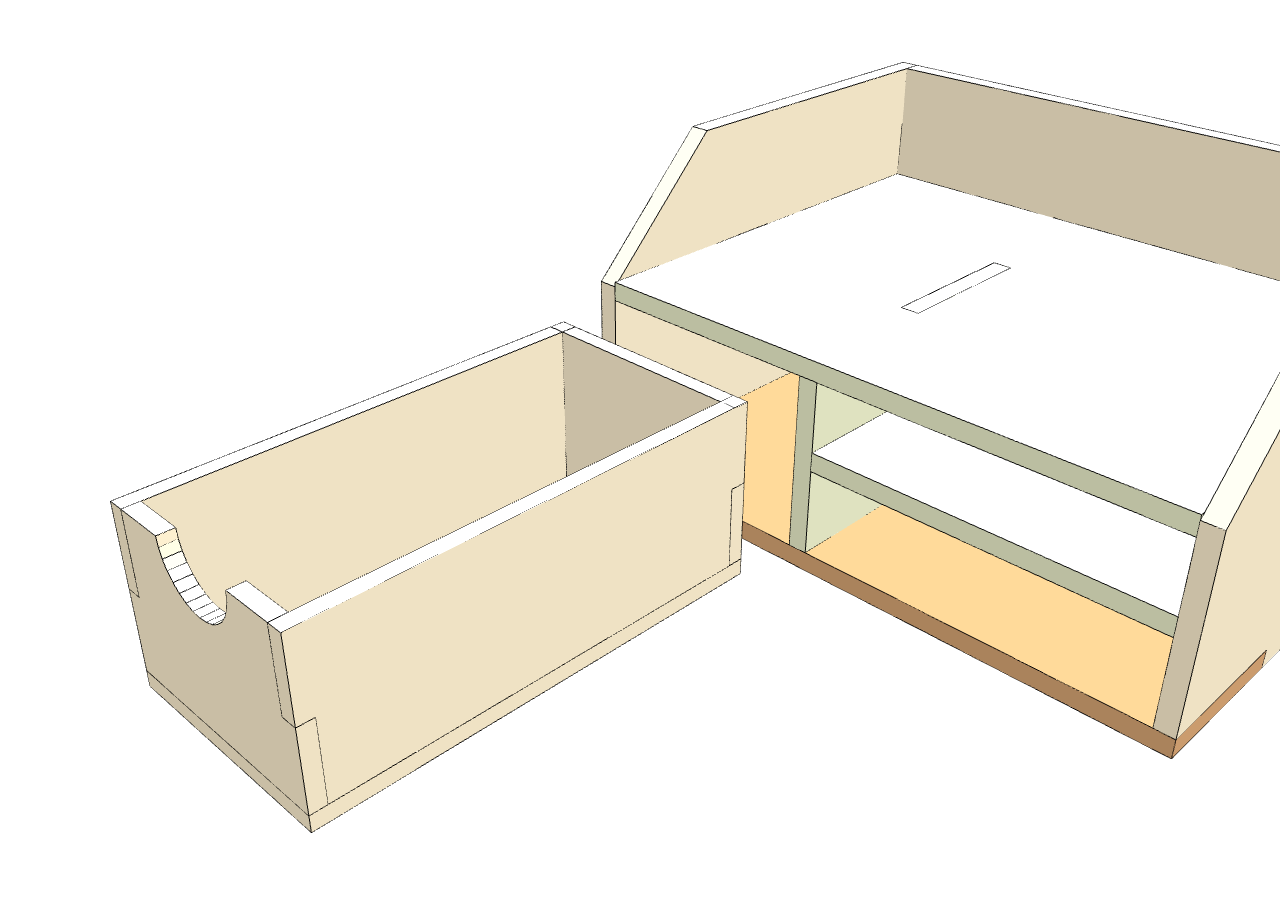
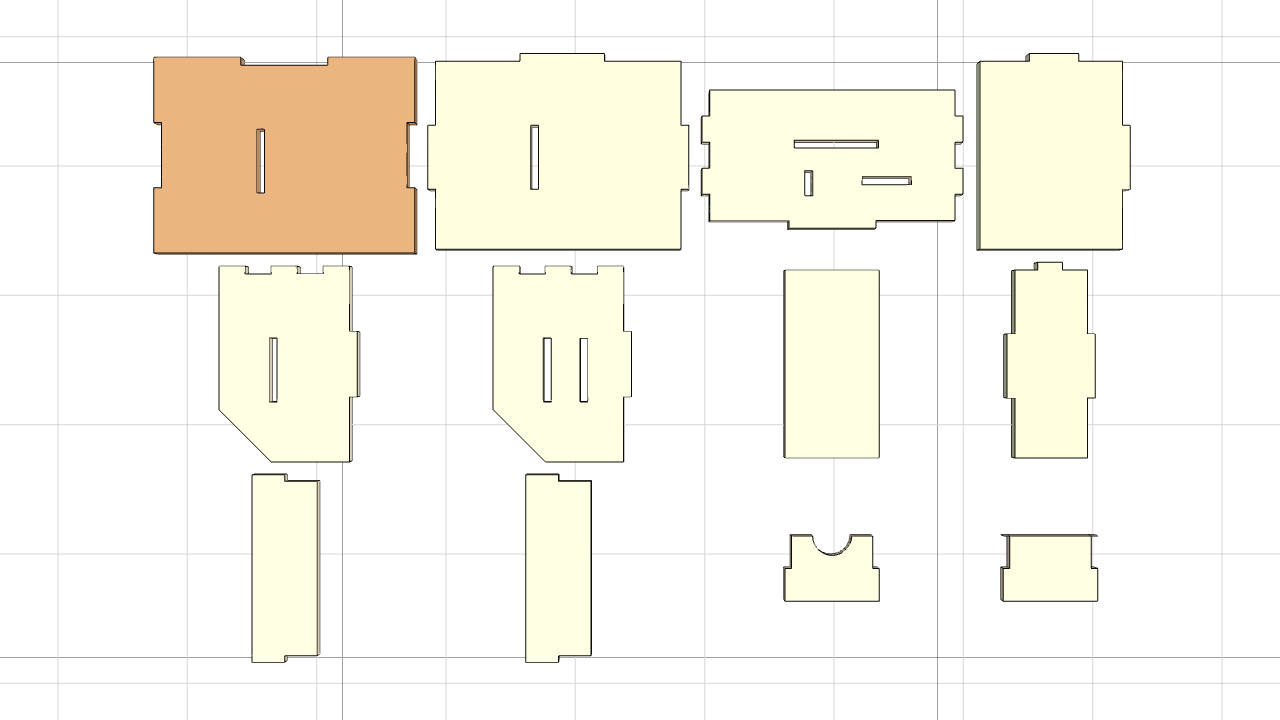
3D assembly vs flattened cut layout
A 2D cut file answers “what does the machine need to cut?” It cannot answer “does the drawer clear the divider?” or “will the lid close after kerf?” That is the practical argument for modeling the assembly in 3D and flattening it only at export — not because 3D is automatically better, but because fit problems are cheaper to catch on screen.
Inspect the output
Download a sample drawer organizer DXF
Before committing to a workflow, look at the file it produces. This reference export is from our Stationary Organizer template: a 12-part drawer organizer with separate CUT and ENGRAVE layers, part labels, and 0.15 mm kerf compensation already applied.
DXF R12 · CNC / laser
drawer-organizer-sample.dxf
Open it in your CAM or laser software to inspect line quality, layers, labels and joint geometry before you cut a full sheet.
It is a reference file, not a guaranteed fit. Measure your own material thickness and kerf, and run a test cut before production.
People also ask
Fusion 360 alternatives FAQ
Is Fusion 360 still free for hobbyists?
Fusion 360 still offers a limited personal-use license, but its terms, export options and cloud features can change. If you are selling flat-pack products, or you just want a drawer organizer, it is worth checking whether a simpler tool gets you to a cut file with less overhead.
What is the best free alternative to Fusion 360 for laser-cut boxes?
Boxes.py and MakerCase are the fastest free options for standard rectangular boxes, and Boxes.py has a much larger preset library. Use CraftBox 3D when you need custom compartments, drawers, shelves or CNC dogbones in 3D. LightBurn or Inkscape are best for 2D artwork and last-minute machine edits.
Does CraftBox 3D export DXF files for CNC routers?
Yes. CraftBox 3D exports color-coded SVG for LightBurn, Glowforge and similar lasers, and DXF for VCarve, Carveco and CNC routers. It can add dogbone corner relief for router bits and apply kerf compensation per side before flattening the 3D assembly.
Can I import a Fusion 360 model into CraftBox 3D?
CraftBox 3D opens its own .c3d project files. For an existing Fusion 360 design, export a DXF or SVG from Fusion for the flat parts, or rebuild the panel layout in CraftBox 3D so tabs, slots and kerf are regenerated parametrically. There is no direct parametric import of a Fusion timeline.
Which tool is best for an Etsy or small-batch woodworking business?
CraftBox 3D is built for repeatable custom organizers and small-batch flat-pack products, but it is our own tool — so compare it against a quick Boxes.py test if your product is a standard box. For custom drawers and compartments, it removes the manual re-offsetting; pair it with LightBurn for engraving.
Does CraftBox 3D run on a Chromebook?
Yes. CraftBox 3D runs in a modern browser, including Chromebooks, with no installation or dedicated graphics card. That makes it practical for classrooms, shared makerspaces and laptops that cannot run a heavy desktop CAD package.
Keep going